Post Date: September 15, 2026
Hello internet!
Now that Recorte, my new software sample editor, has been released, I’d like to take the opportunity to do two things at once: start a blog section on my website and go a little bit in depth about Recorte’s development process and other interesting details about it.
Since this is my first post here, it’d be a good idea to introduce myself and my work.
I’m Icaro Ferre and I have been developing software and hardware projects professionally since 2013 and releasing them through my music-tech company Spektro Audio.
Some of my projects like CV Toolkit, ACDGEN, and NGEN have been featured on websites like Resident Advisor, Synthtopia, Synth Anatomy, on printed magazines such as Interface.NL, EstradaiStudio.pl, and in books such as ‘Patch & Tweak’ by Kim Bjorn.
Recently, I passed the mark of 200 NGEN units built and sold directly to customers worldwide and through retail stores like Perfect Circuit, MIDI Amsterdam, and Juno.
I have also worked on projects directly with artists such as Gui Boratto, Sonic Mayhem (Quake 2, Deus Ex), Mickey Hart (Grateful Dead), and with other music companies such as Korg, Roland, Cycling 74, and Reco Synth.
I’m also the developer for Setlist, a Max for Live device used by many playback engineers and artists around the world such as Billie Eilish, Wiz Khalifa, Lil Wayne, Logic, MC Hariel, and many others.
Although I have been an indie developer for the past 13 years and releasing projects regularly ever since, I’ve rarely talked about my development process and thoughts on technology, mostly because I’ve always assumed that my personal experience wouldn’t be too relevant in the communities that I followed. These days, however, I feel that so much of the interesting discussion online either faded away, migrated to closed channels, or ended up ultimately replaced by AI slop, that I decided to just feed my FILDI some oranges and give it a try.
My goal for this post is to talk more about the development process and technologies used for Recorte so, if you’d like to know more about its features and use-cases, I’d recommend checking out the official blog post and overview video.
Recorte Backstory
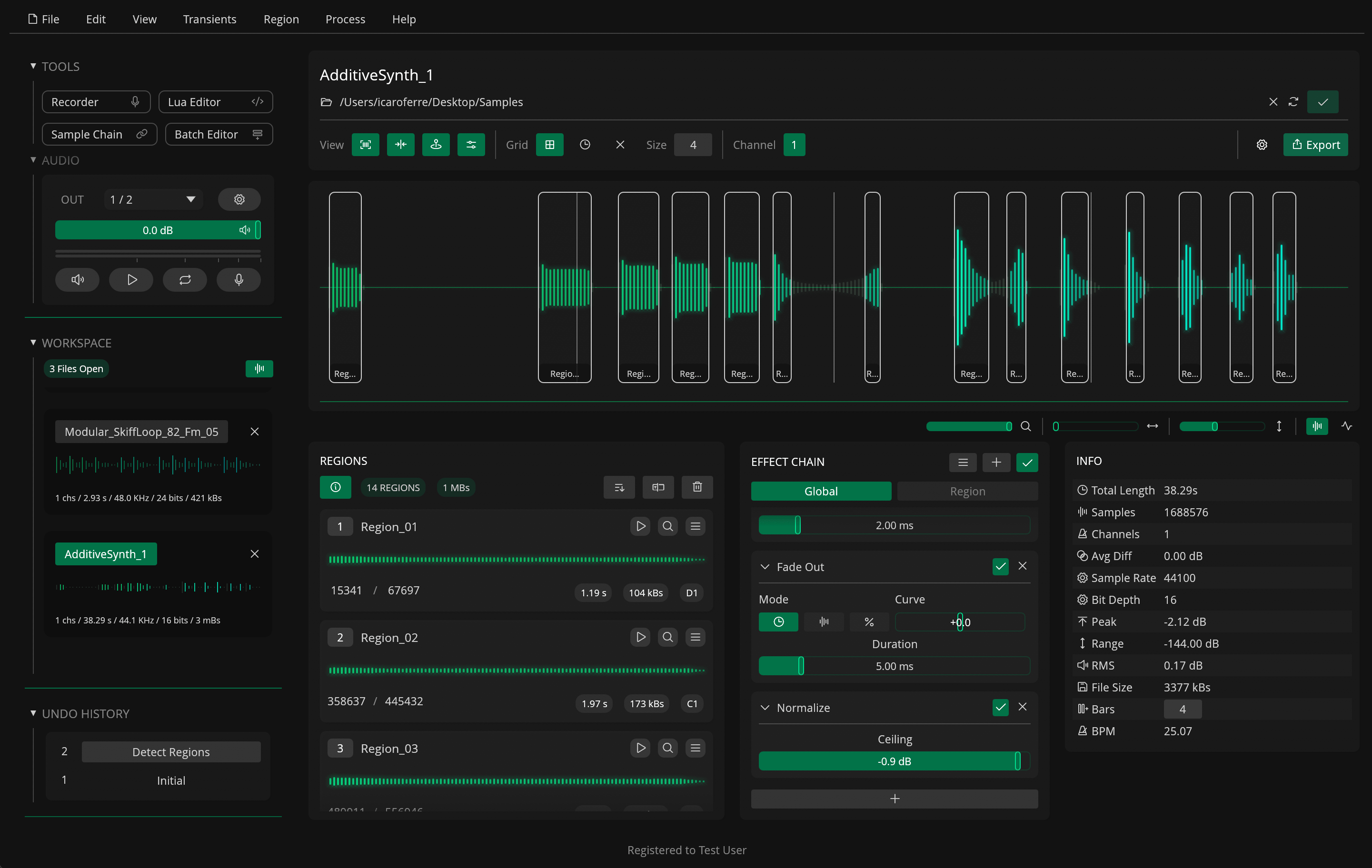
Recorte 1.0
As an artist, I’ve always enjoyed creating my own samples using my hardware instruments but I’ve also found the process to be tedious and time consuming even after years of muscle memory in different DAWs like Logic and Ableton Live.
While DAWs are great for making music, I’ve always struggled to find a good workflow for working on multiple samples in a song timeline or even in non-linear grids. They offer a great way of converging samples, instruments, and sounds into a song but they don’t usually have a lot of tools for creating and preparing multiple samples from a recording.
To help me edit my own samples more efficiently, I started working on a Rust CLI tool called AudioHit which I first released in 2018. It was initially designed to trim and fade multiple audio files to help automate some of the post-processing needed when working on one-shot samples such as drums and synth notes.
As I continued working on AudioHit and learning more about Rust, and especially audio in Rust, I realized that adding a GUI to AudioHit would let me better explore different editing features and make it more accessible to other people since CLI tools were not as popular back in 2018. So, after coming across the egui framework for Rust, I decided to give it a try and got to work on integrating it into AudioHit as a simple proof of concept.
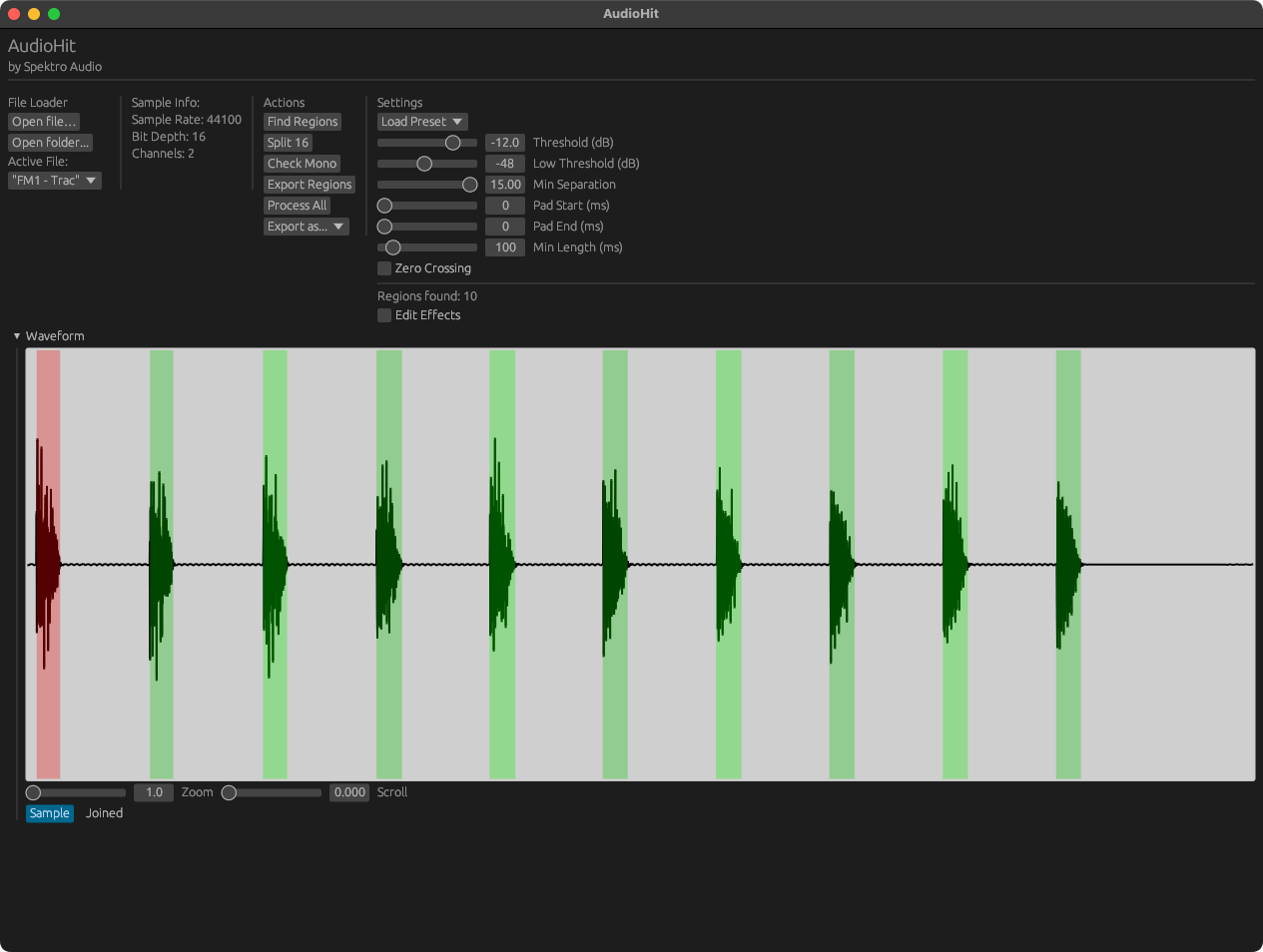
AudioHit GUI Proof of Concept (08/2022)
The proof of concept worked well but the project was put on hold for almost 2 years as I focused on NGEN and other projects.
Once I finally had a chance to look back through my project backlog, around August 2024, I decided I wanted to get back on this project with the larger goal of turning it into the next Spektro Audio software product, and that was the beginning of the road that eventually led to AudioHit becoming Recorte.
It was also around this time that I migrated from VSCode to Neovim and got my hands on a Valve Steam Deck. Although seemingly unrelated at first, the move to Neovim had a huge influence on how I felt about software customization, and trying out old and new music software on Steam Deck inspired me to explore different UI/UX approaches for my new software projects.
I believe that both of these ended up having a significant impact on Recorte’s design and features such as the theming system, Action Palette, Lua Scripting, and the macro-style shortcuts.
The Tech
As mentioned in the release blog post, Recorte is built 100% in Rust, including its UI, audio engine, and DSP code.
Looking back, it almost feels like the decision to start new projects in Rust came naturally as I learned more about the language and its ecosystem. The more I learned about Rust, the more comfortable and safe I felt with the code I was writing, especially after working primarily in C++ for ACDGEN Hardware Edition and NGEN’s firmware since 2019 and spending days debugging invalid pointers. The Rust compiler was an essential tool to help me not only learn my way through the language, but also feel safe to experiment and try different ideas.
While using Rust felt safe, my biggest worry during the initial development was finding alternative frameworks and libraries to build a professional tool. I would not be able to use the C++ frameworks I was already used to, especially JUCE.
Fortunately the Rust ecosystem proved to be more than capable of handling my needs and this was especially because of the cpal and egui libraries. I’ll go more in depth about UI and audio shortly.
Rust’s cross-platform compatibility also helped me get the project running on macOS, Windows, and Linux with only small changes required for each build (which were mostly related to the build process for .app bundles and AppImages).
My experience optimizing firmware for Arduinos and the RP2040 was also helpful in optimizing the different parts of the project so they’d run efficiently and smoothly on most modern computers.
Since the technology industry seems to be abandoning personal computers, I feel that I want to do the best I can to keep memory and CPU usage to a minimum so we can get the most out of the hardware we have access to.
UI and egui
Recorte uses the egui / eframe libraries and some custom widgets for its GUI. Because I’ve noticed quite a few people interested in the use of egui for larger projects, I want to elaborate a little bit more on some different aspects of my use of the framework.
The egui library is well developed and easy to get started with but, because of its immediate mode, it redraws every frame and it’s not as easy to lay out components dynamically, and overall I’d say that these were indeed the biggest challenges I faced developing the UI.
Custom Widgets
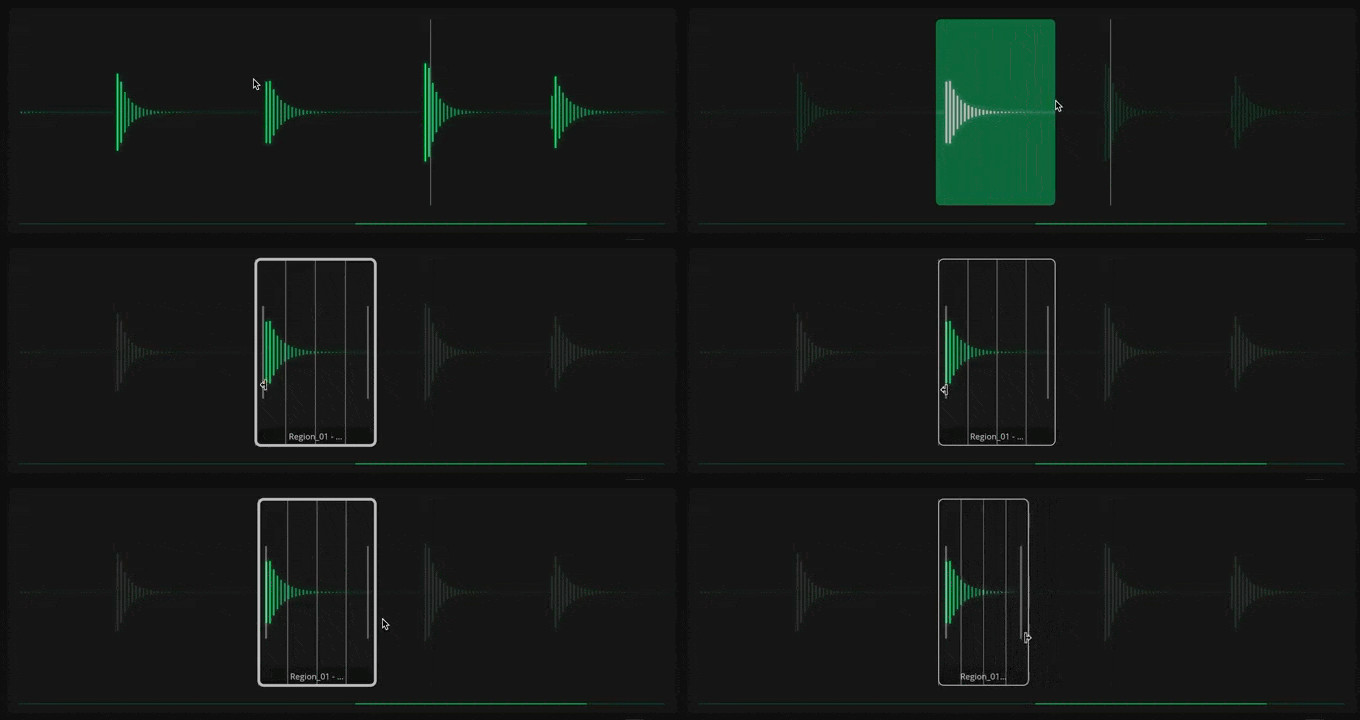
Waveform Widget
The waveform display was the first custom widget I wrote for Recorte but also the one that required the most work.
To avoid calculating the waveforms for each frame, it uses a flexible caching system that keeps render times low by only calculating the waveforms when necessary (when zooming, scrolling, or processing the buffer). This makes it so even larger files (such as 1h+ DJ sets) can be scrolled through and zoomed in and out smoothly and efficiently.
Each of the different waveform modes (bar / line) then uses the waveform data to draw them using epaint.
I was also able to add a wide variety of different interactions to the widget (make selections, create and modify regions, context menus for right-clicks) which made it a lot more fun to use (though it does require an MSPC channel for communication which I’m not a huge fan of).
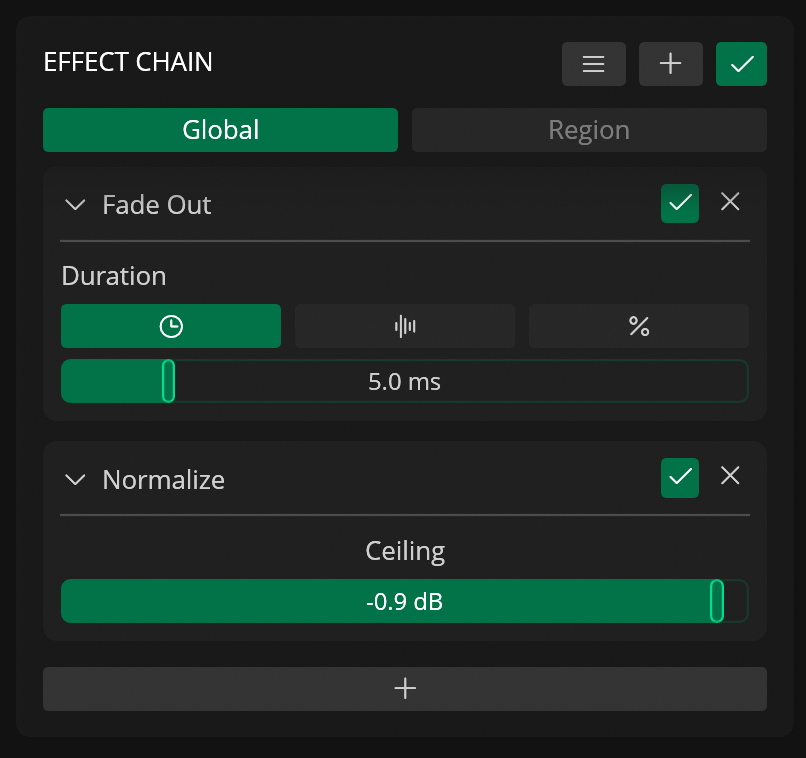
Custom Slider Widget
Later in the project’s development I also decided to work on a more advanced and customizable slider widget which I’ve also been quite happy with. While egui’s built-in slider works well for quick prototypes, I feel that it’s still not as feature-rich and it’s quite difficult to get them to work well with the layout tools available.
So this custom slider I wrote for Recorte can be rendered at any size and offers some extra features such as double-click editing, step sizes, and default values.
Accessibility
Another feature that really caught my attention when first learning about egui was its native support for accesskit as I’d love to offer better accessibility options in my projects.
Once I had the UI ready for 1.0, I was able to go through and implement custom support for the new widgets I wrote and add voiceover descriptions for them on macOS using the accesskit and egui’s documentation.
Admittedly, my tests were quite superficial since my experience with these support tools is very limited. I’d love to hear some feedback about it from users that rely on them on a daily basis.
Theming
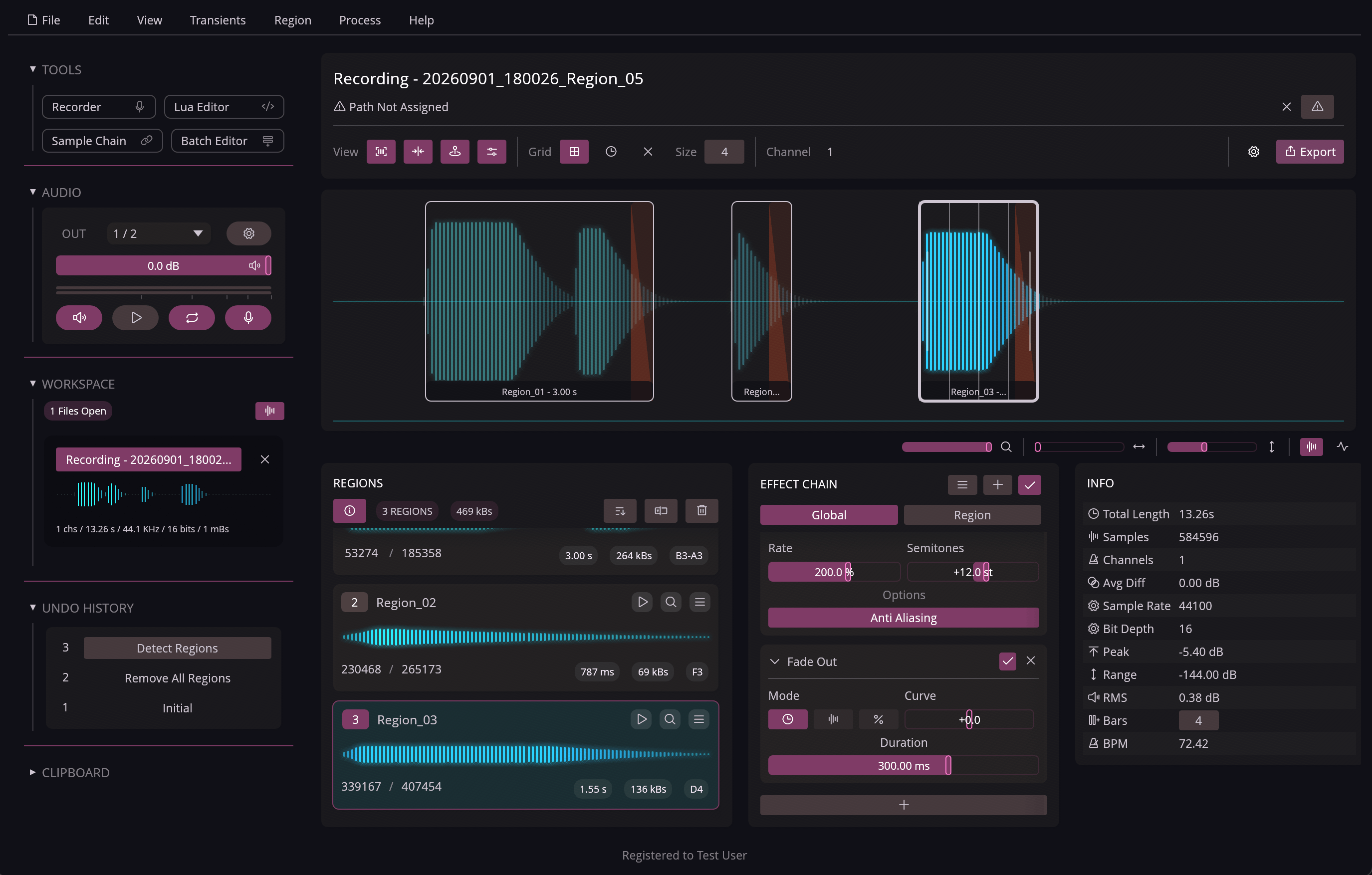
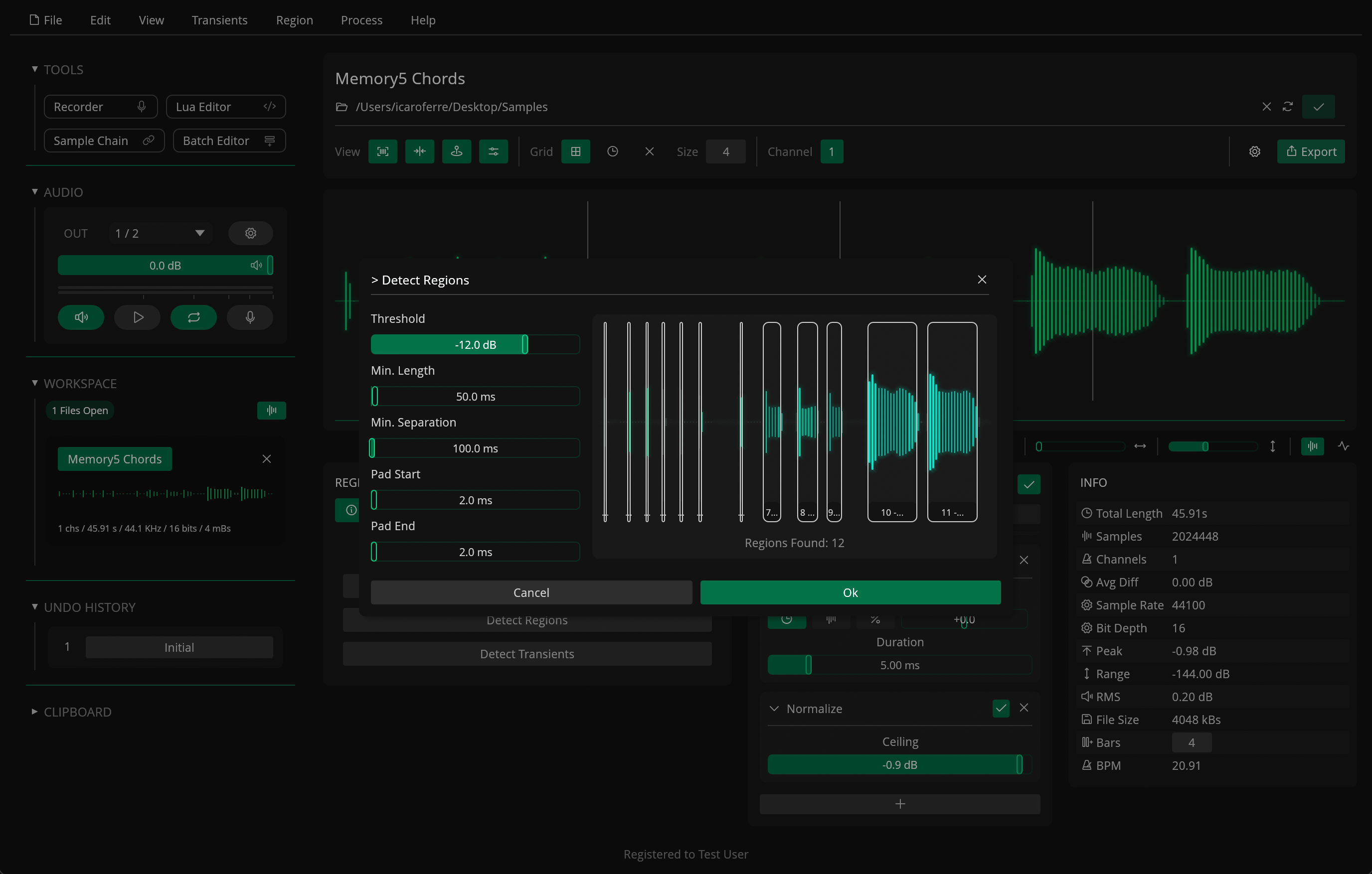
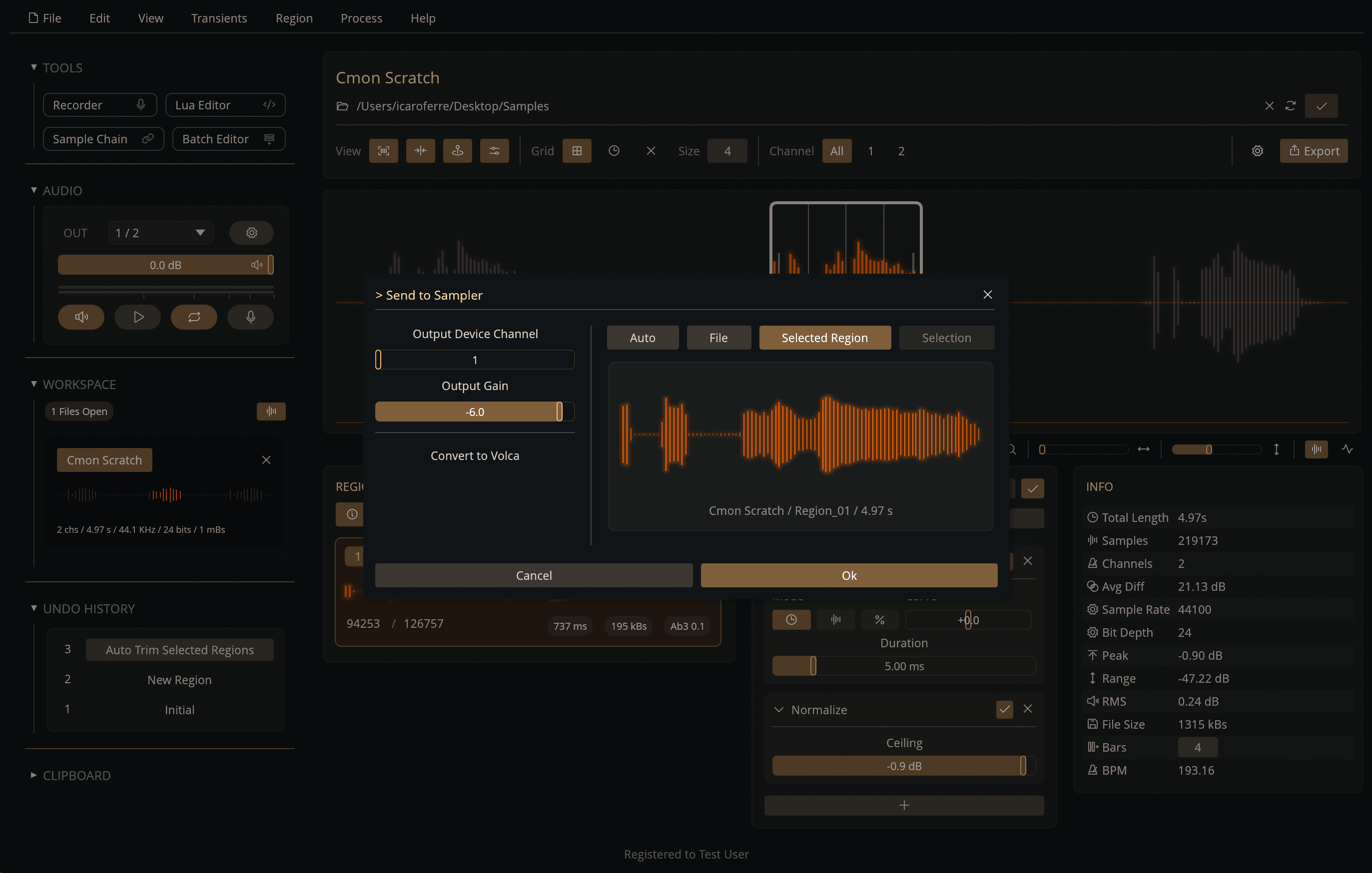
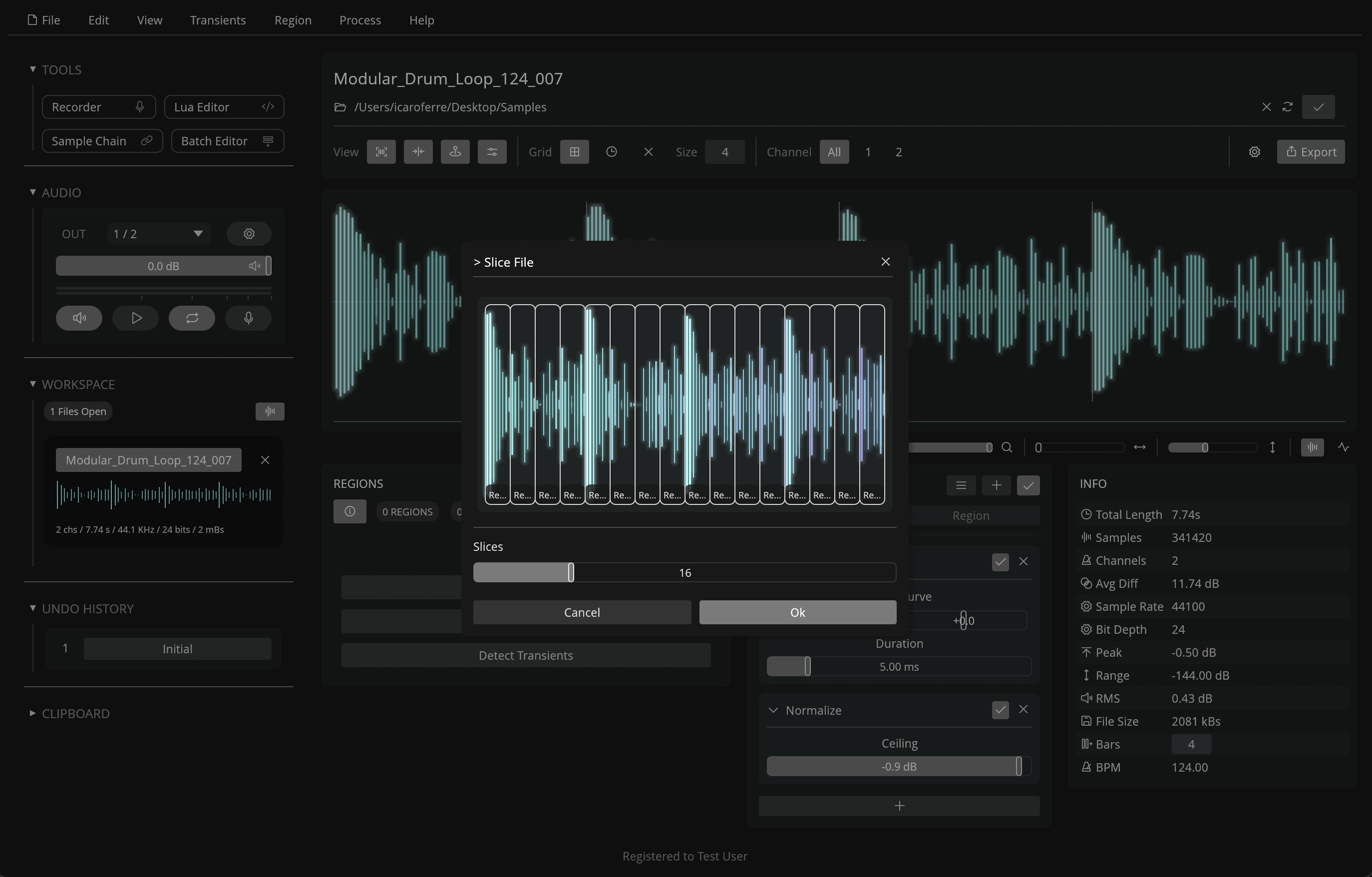
Themes available in Recorte
For the theming system in Recorte, I was able to implement a custom struct that stores all the colors in the theme as RGBA values and applies them directly to egui’s Style component by modifying the widget’s color values at the beginning of the app’s main UI / render function. The themes also use a custom serializer via Serde so they can be stored as JSON files.
Performance
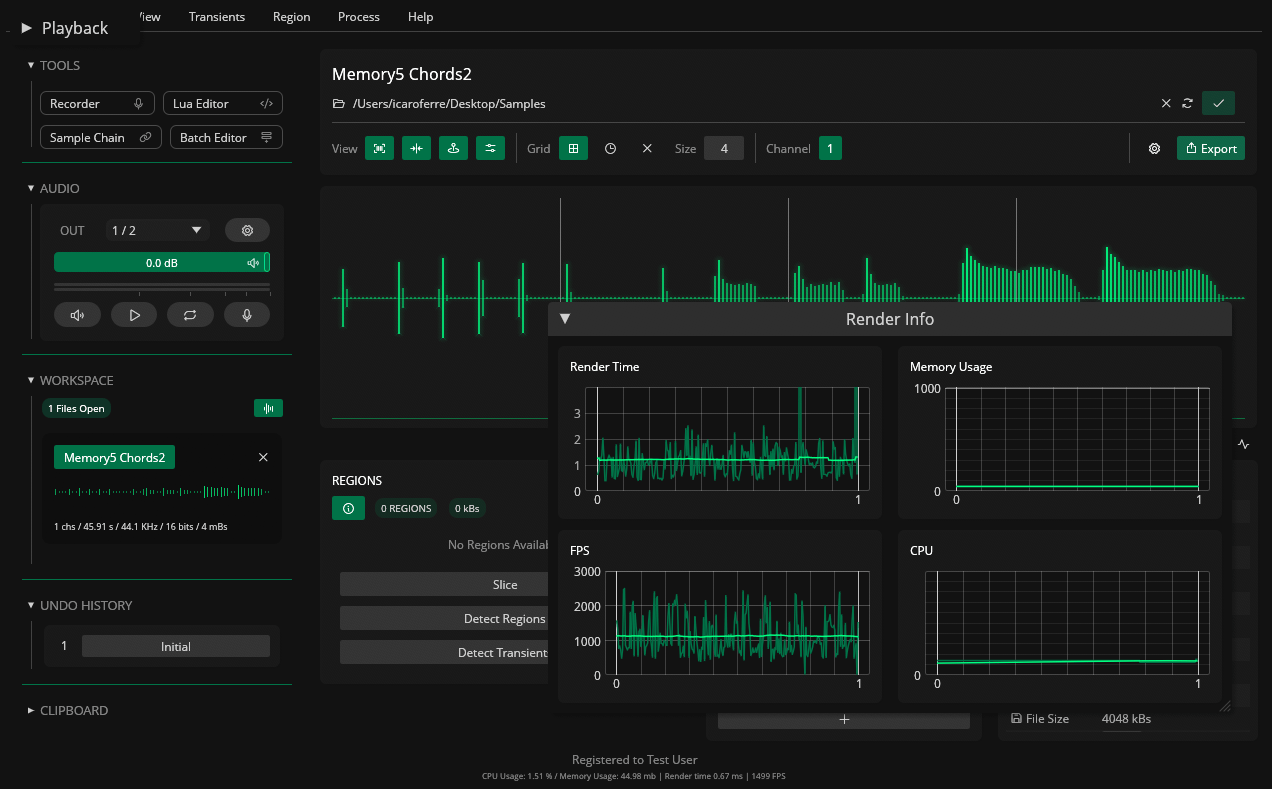
Debugging / Performance Interface for Recorte (development only)
Performance was also a high priority for me as I worked on the UI. I was able to keep render times and CPU usage to a minimum by caching the data for my custom widgets (especially the waveform display) and reducing the scope of Arc / Mutex locks during the render cycle.
Even with the UI getting redrawn in every frame, it seems egui is efficient enough to draw everything in ~0.8-1.5 ms / ~1300 FPS on my MacBook M1 Pro (though vsync is used to prevent unnecessary redraws and improve performance).
Layout
For the UI’s layout, I was able to achieve the layouts I had in mind with a combination of egui’s layout features (ui.vertical/ui.horizontal, StripBuilder and Grid) and Lucas Merlin’s egui_flex.
While I was able to eventually get to the layouts I had in mind, there was a lot of trial and error to get to some of them as I learned which of these options could be combined without breaking anything.
The results are still not perfect but I feel that 1.0 has a good foundation in terms of UI layout that I can keep on improving in upcoming updates.
Maintainability
Since the initial development for Recorte’s 1.0 release took almost 2 years, I was also positively surprised by how reasonable it was to keep the whole project up to date with the releases and by the improvements that the egui team has been making in the project.
Although I did come across some breaking changes during development, which I was able to patch by following the change-logs, I also noticed that the library has been getting a lot better in terms of ergonomics (dropping the ui.end_menu() is one example that came to mind).
Overall Impressions of egui
I feel that egui was a great choice. I did have to take some time to learn how to properly use the different widgets and layout tools but you can build quite flexibly and efficiently once you get used to it.
After learning how to better optimize my drawing functions and custom widgets to reduce render times (primarily by caching and being mindful with mutex locks in the drawing routine), I feel that egui finally clicked for me and I was able to achieve the design I wanted and keep render times under 1.5ms on most of the machines I tested on.
I’d also point out that I didn’t experience any issues when testing the app across different operating systems. Once I had the layout working on one OS, I was able to get it running and looking exactly the same on the other two.
I guess the only other issue that would be worth mentioning was the one I came across while working on the UI. I ended up embedding a 4x version (4096px) of the app icon which caused the memory usage to increase by almost 300 megabytes but I suspect that it just happened to be the memory footprint for the ImageBuffer after conversion, so I don’t believe this was egui’s fault.
Audio Engine
Recorte’s audio engine is built with cpal and it’s quite different. Instead of processing samples in real time as it plays, it is primarily designed as an offline engine capable of rendering and caching files and regions in the background, similarly to video editors such as DaVinci Resolve and Apple’s Final Cut Pro.
While this approach might not make a lot of sense for a DAW, it works quite well for a sample editor since it makes it easier to work with things like batch processing and duration-based effects like Fade, Normalize, and Reverse.
It also makes it so buffers can be rendered in the background, reducing CPU usage and latency during playback.
One downside to this approach is that we don’t get any visual feedback during playback since the audio has already been rendered. This means that it’d be quite difficult, for example, to add a gain reduction indicator for a compressor effect, but I do think the tradeoff was worth it.
The engine uses dedicated threads for handling audio input, processing buffers, and managing the output ring buffers for cpal.
In terms of cross-compatibility, I think cpal works quite well but it does require some extra setting up to make sure streams are initialized correctly across different OSes / devices / drivers / etc.
I’ve also been curious to check out cpal’s more recent changes, which made it possible to resample the system output on macOS. This would be quite a nice option to have since it would let users sample audio from other apps and websites. Unfortunately I was not able to get this done for 1.0 but it’s definitely on my list for upcoming updates.
Lua Scripting
The Lua integration for Recorte uses the mlua library, which also proved to be a great option. I was able to wrap many of Recorte’s actions as custom functions in Lua and handle the different results from the engine.
The only annoying issue that I was not able to figure out a solution for yet is that the files loaded in memory are kept in Arc/Mutexes. This meant it was not possible to edit their values directly (as pointers / mutexes) when accessing the files’ functions and variables as custom userdata in the script.
As a result, in order to access and edit the files using the userdata implementation, the user would need to first create a copy, modify it, and then replace the file in the workspace. This approach does work but it ends up breaking some things like the undo history for the file (since it’s a fresh copy).
I feel that there are still some aspects of the Lua implementation in Recorte that can still be improved but the overall foundation should already be enough to make it possible to create some very interesting scripts for Recorte, like the built-in glitch effect.
Conclusion
There’s still a lot of different aspects of Recorte’s development and tech-stack that I think it would be interesting to dive into but I’ll wrap up this post so I don’t end up taking months to actually post it.
As I said in the beginning of the post, my goal for this post (and the blog in general) is to just share my own experiences, so don’t just take my words for it and always keep exploring and trying to learn as much as possible, which is what I hope to keep doing as well.
If you’d like to reach out to ask questions or make suggestions for future posts, feel free to contact me via DM on Instagram (@icaroferre) or on any of my socials.